
Contents
Overview
Sky Map is a pocket-sized, interactive AR star chart that transforms your smartphone into a dynamic window to the cosmos. Developed by Google, it leverages your device's sensors – compass, gyroscope, and GPS – to precisely identify celestial objects in real-time. Point your phone at the sky, and Sky Map overlays labels for stars, constellations, planets, and even orbital bodies, making the night sky instantly navigable. It's a digital descendant of ancient navigational tools and celestial dials, bringing millennia of astronomical observation into the palm of your hand.
🌟 Who is Sky Map For?
This app is a dream for hobbyist stargazers, curious casual viewers, and educators alike. Whether you're a seasoned stargazer trying to pinpoint a faint nebula or a parent introducing your child to the constellation stories, Sky Map democratizes astronomical knowledge. It's also an invaluable tool for anyone who's ever looked up and wondered, "What's that bright star?" or "Which planet is that?" Its intuitive interface makes complex celestial navigation accessible to all levels of interest.
📍 How to Access Sky Map
Accessing Sky Map is remarkably straightforward. It's available as a free application on both the Android App Store for Android devices and, historically, through similar app stores for other platforms. Simply search for "Sky Map" in your device's app store, tap download, and grant the necessary permissions for location and sensor access. Once installed, you can use it anywhere with a clear view of the sky, though its functionality is most impressive under dark, unpolluted skies away from urban glow.
💰 Cost & Features
Sky Map is fundamentally a free application, a generous offering from its developers. This means no subscription fees or upfront costs to access its core functionality. The app provides real-time identification of celestial bodies, a searchable database of stars and constellations, and the ability to track the sky's motion throughout the night. While there are no premium tiers, its robust feature set for a free app is a significant draw, offering a comprehensive stargazing experience without any financial barrier.
⭐ User Experiences & Ratings
User feedback for Sky Map is overwhelmingly positive, consistently earning high ratings across app stores, often above 4.5 stars. Reviewers frequently praise its accuracy, ease of use, and the sheer wonder it inspires. Many highlight its utility for educational purposes, with parents and teachers finding it an engaging way to teach astronomy. Some minor critiques occasionally surface regarding sensor calibration in specific device models or occasional performance hiccups, but these are generally outweighed by the app's overall utility and accessibility.
🆚 Sky Map vs. Other Tools
Compared to traditional paper star maps, Sky Map offers unparalleled interactivity and real-time updates. Unlike a static chart, it moves with you, constantly reorienting to your view. While dedicated desktop planetarium programs like Stellarium offer more in-depth data and customization, Sky Map excels in its on-the-go convenience and AR integration. For quick identification and casual exploration, Sky Map is often more practical than carrying a physical chart or booting up a computer.
💡 Pro Tips for Using Sky Map
To get the most out of Sky Map, ensure your device's location services and magnetic sensor are calibrated correctly; a quick search online can provide device-specific calibration steps. For the best experience, use it away from city lights where the true splendor of the night sky is visible. Don't hesitate to tap on identified objects to bring up more detailed information, and experiment with the time-shift feature to see how the sky changes over hours or even days. Familiarize yourself with the star patterns beforehand to enhance your observational sessions.
🚀 Getting Started with Sky Map
Getting started with Sky Map is as simple as downloading the app. Once installed, open it and grant the required permissions. Hold your phone up to the sky, and you'll immediately see an overlay of celestial objects. You can pan and zoom, or use the search function to find specific stars, planets, or constellations. For more advanced users, explore the settings to customize the display, such as toggling satellite trails or adjusting the visibility of fainter objects. It's ready to use the moment you open it, turning any clear night into an astronomical adventure.
Key Facts
- Year
- Antiquity (earliest known star charts date back to ancient Egypt and Mesopotamia)
- Origin
- Ancient Civilizations
- Category
- Astronomy & Navigation
- Type
- Resource/Tool
Frequently Asked Questions
Does Sky Map require an internet connection?
No, Sky Map primarily uses your device's built-in sensors (GPS, compass, gyroscope) for real-time sky mapping. An internet connection is not required for its core functionality, making it ideal for use in remote locations with no signal. However, initial download and potential updates will require connectivity.
Is Sky Map available for iOS devices?
Historically, Sky Map was a prominent app on the Android platform. While there hasn't been an official Sky Map app for iOS directly from Google, many similar AR astronomy apps with comparable features are available on the iOS App Store. Users seeking an iOS alternative might explore apps like SkyView or Star Walk.
How accurate is Sky Map?
Sky Map is generally very accurate, relying on precise sensor data and astronomical databases. Accuracy can be affected by sensor calibration issues on specific devices or strong magnetic interference. Users are advised to calibrate their device's compass for optimal performance. The app's database is regularly updated to reflect celestial positions.
Can Sky Map identify satellites?
Yes, Sky Map can identify many visible satellites, including the ISS, provided they are within its database and visible from your location at that time. This feature adds another layer of interest for observers, allowing them to track human-made objects alongside natural celestial bodies.
What is the difference between Sky Map and a planisphere?
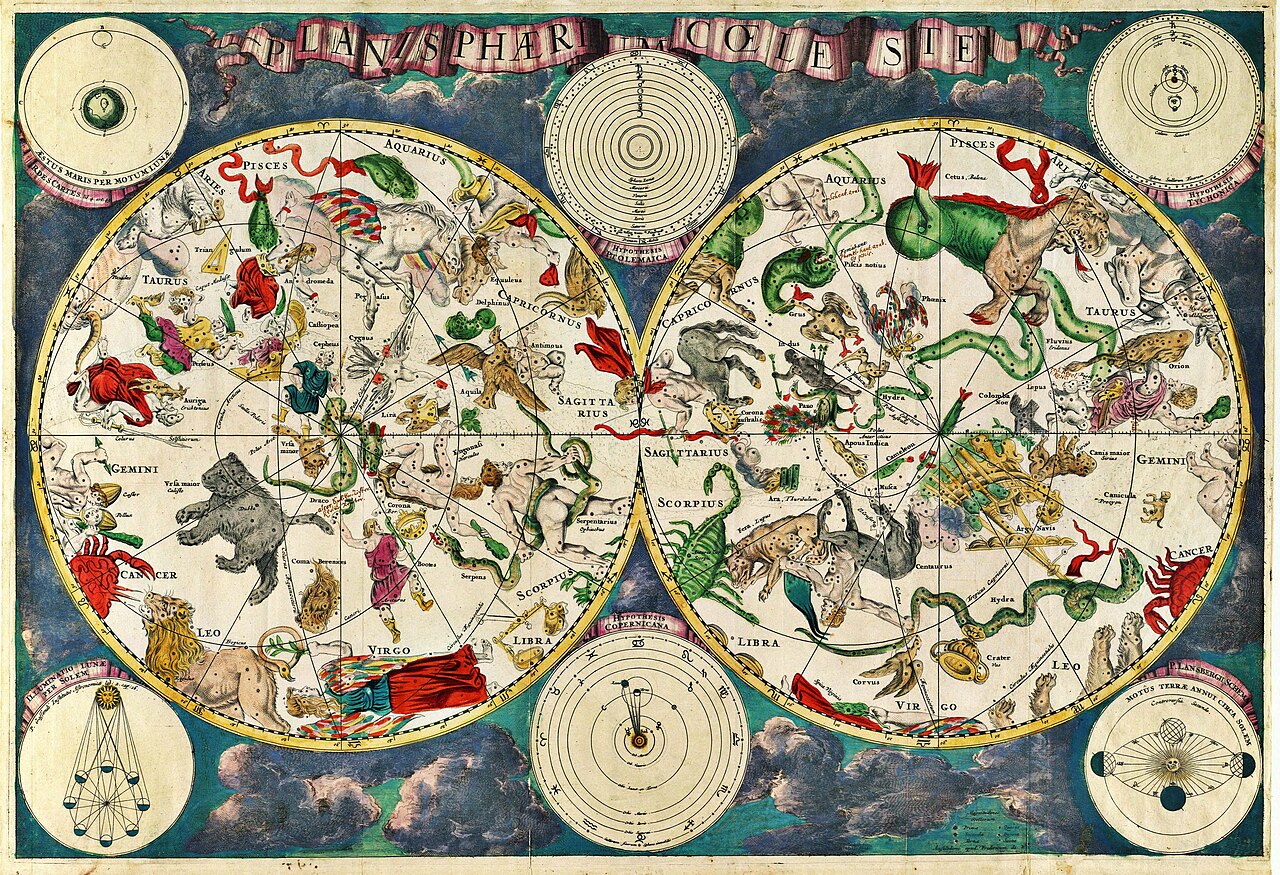
A planisphere is a physical, mechanical celestial dial consisting of a rotating disk with a star map and an opaque overlay with a cutout window representing the visible sky. Sky Map is a digital AR application that uses your phone's sensors to display a dynamic, interactive map of the sky on your screen, offering real-time identification and information.
Can I use Sky Map during the day?
While Sky Map can technically be used during the day, its effectiveness is severely limited due to the brightness of the sun washing out most celestial objects. It is designed for and most useful during twilight and nighttime hours when the sky is dark enough to see stars, planets, and other celestial phenomena.